
Overview
There are different options for how to connect your Jetstream content to an Adventist Web Engine (AWE) website. You can have it set up so that all your Brands, Seasons, and Episodes are automatically sent to your Web Engine website. Or you can manually choose which Jetstream files are sent to your Web Engine website.
How to
Connect all your Jetstream content to a Web Engine website
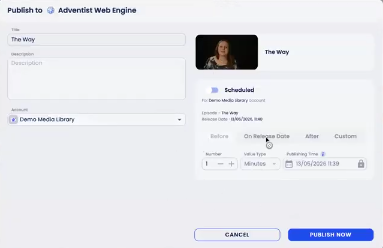
- Contact jetstream@adventist.cloud, and their support team will set up an API connection to link all your content automatically. With this option, all your Brands, Seasons, and Episodes are automatically sent to your AWE website. Once this is done, you will go to the episode, open the detailed media page under the video player, scroll down to Publish, select the Jetstream icon, and the modal box will appear. Click the Publish Now button.
Manually connect individual Jetstream files to a Web Engine website
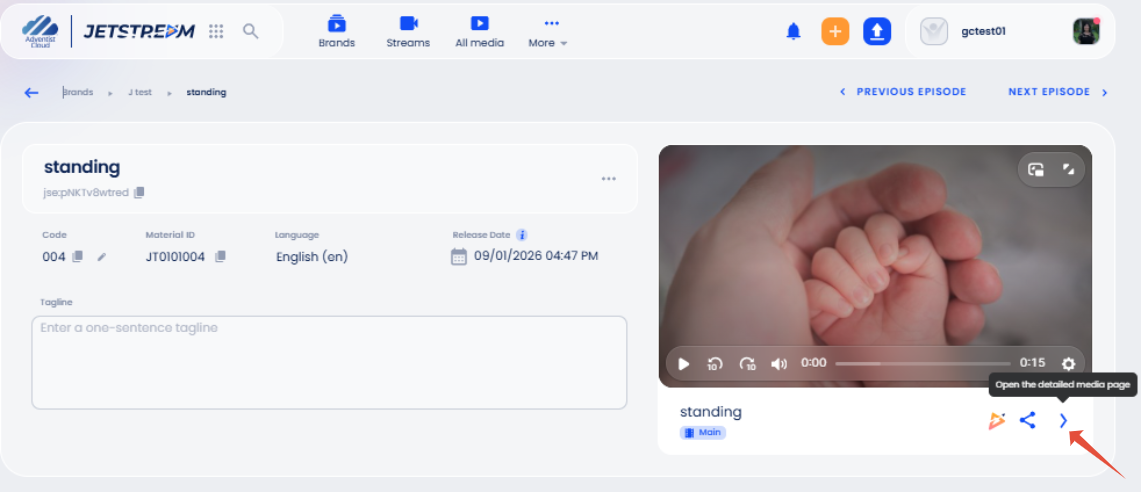
- Choose the episode that you want to connect to your AWE website.
- Click on Open the detailed media page below the main video player on the right side.
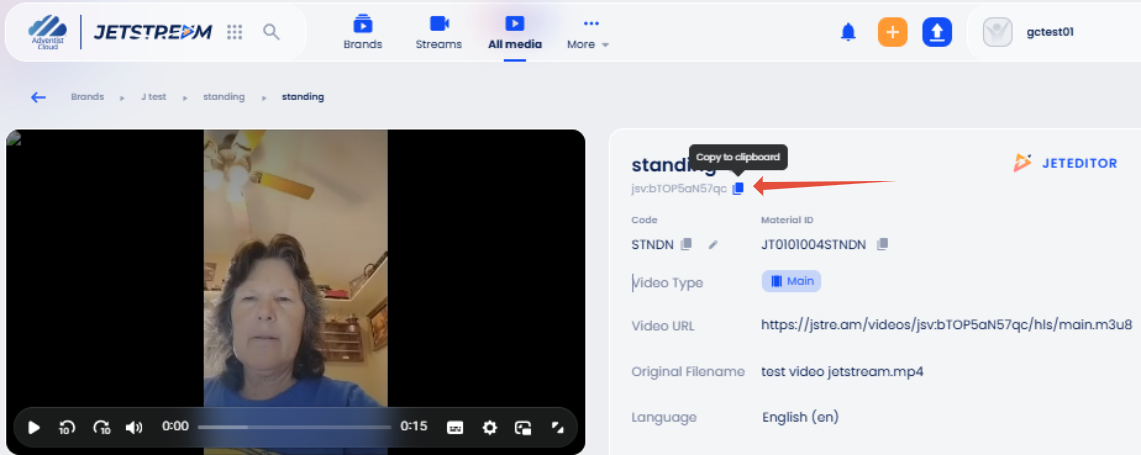
- Click to Copy the JSV ID of the video.
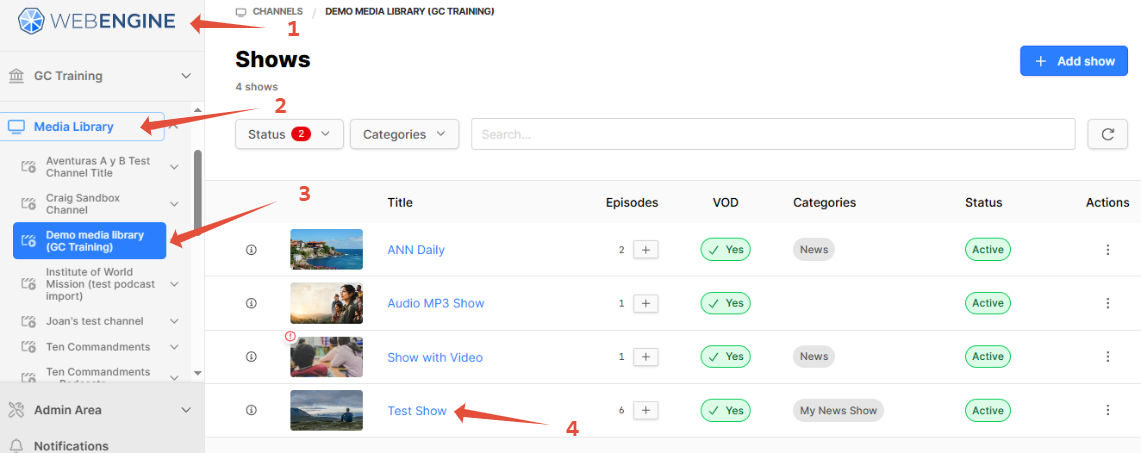
- Then go to Web Engine. Under the Media Library module, select the media library you want. Then select the Title from the Shows.
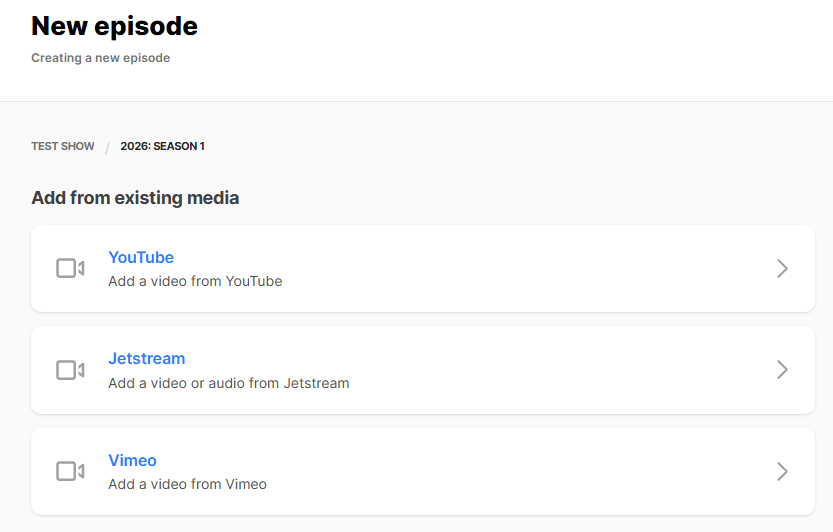
- Click the Add episode button.
- Click on a Season.
- Choose the Jetstream option.
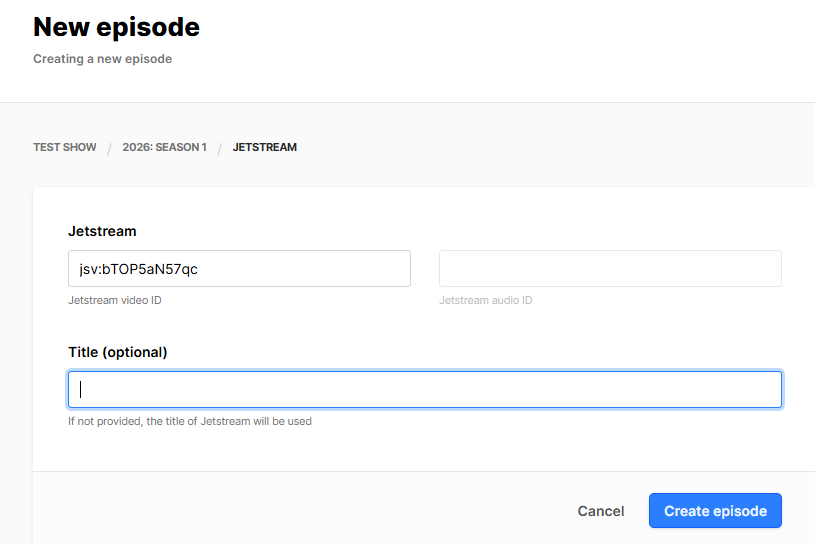
- Then paste the JSV Jetream video ID in the field.
- Click the Create episode button.
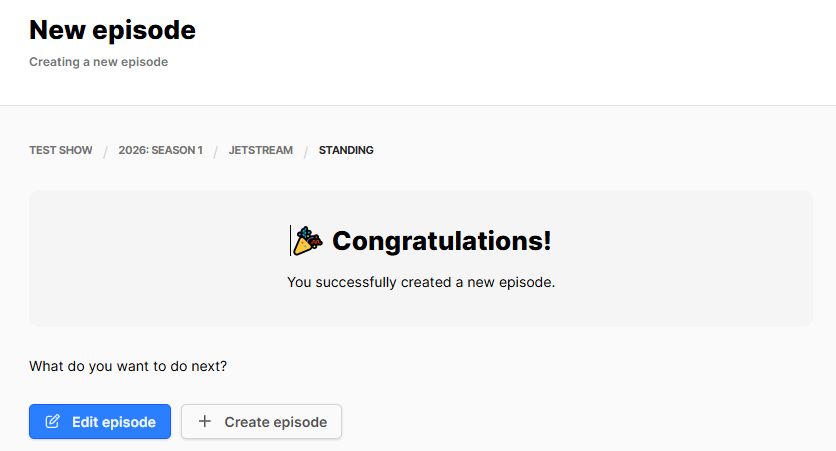
- Click the Edit episode button.
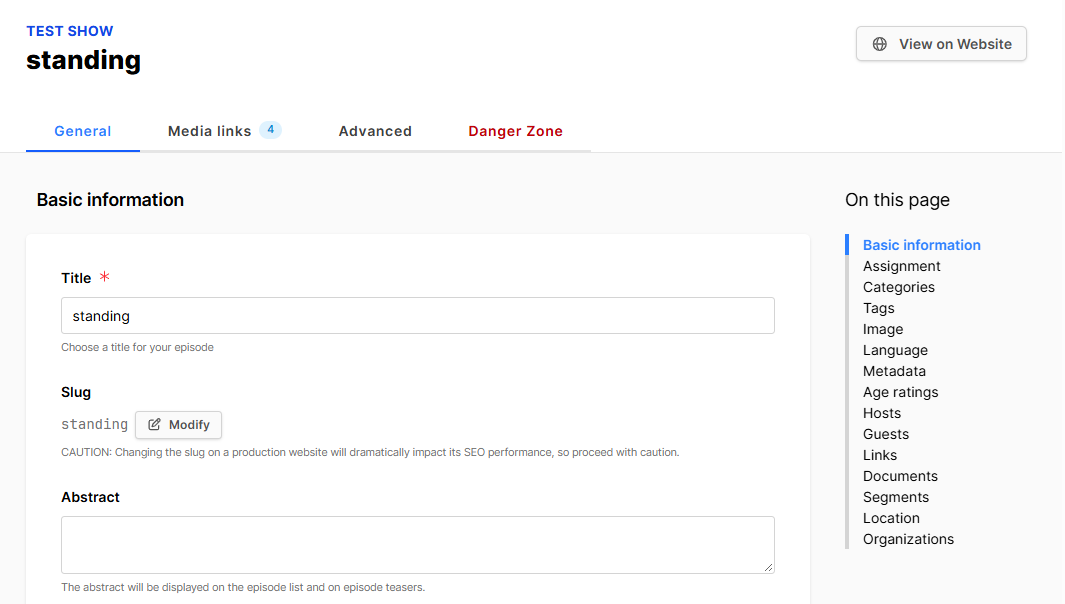
- Note: There is no metadata. It isn’t transferred. You can write your own. For instructions for how to edit an AWE Episode in a Show, see the link at the bottom of the page. When done, click the Save button.
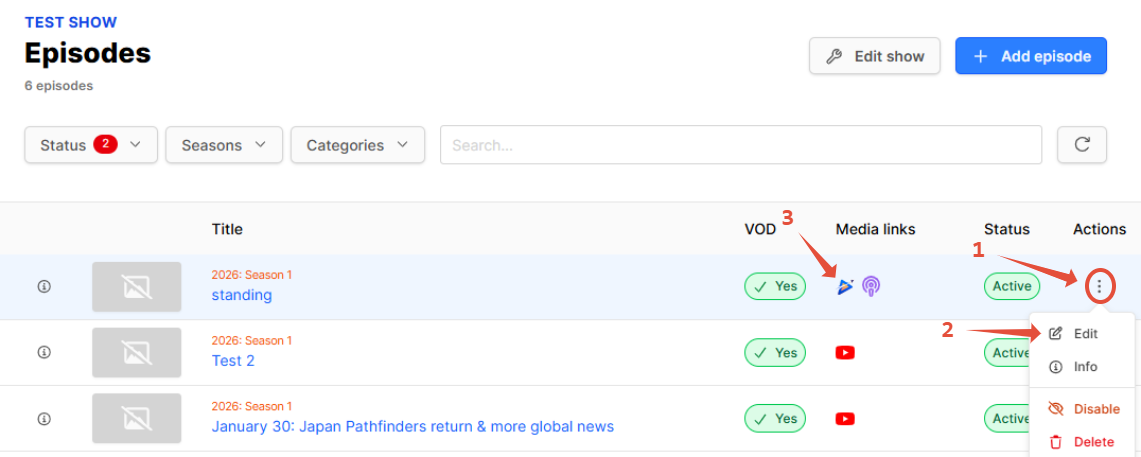
- You can also go back later to edit the episode by clicking on the 3 dots across from the title of the episode. Then click Edit. This is also where you can delete the episode. Notice that the Jetstream icon is present as the source of the episode.
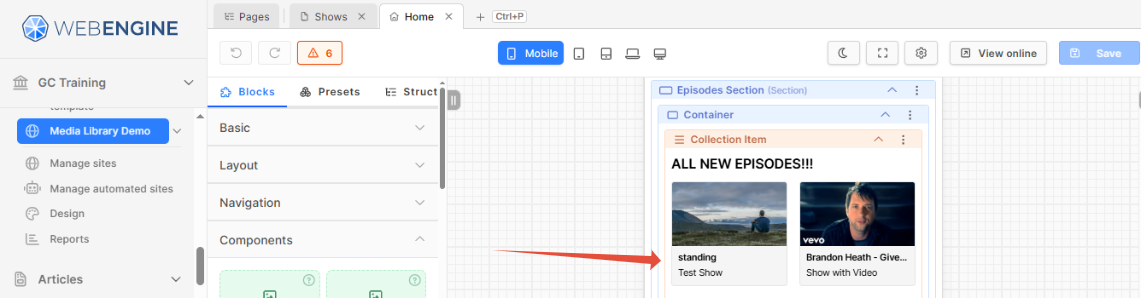
- To view your work, go to the Web module. Click on the Title of the site where your Media Library is located. Under Pages, click on the Home page, then click on the View online button on the upper right.
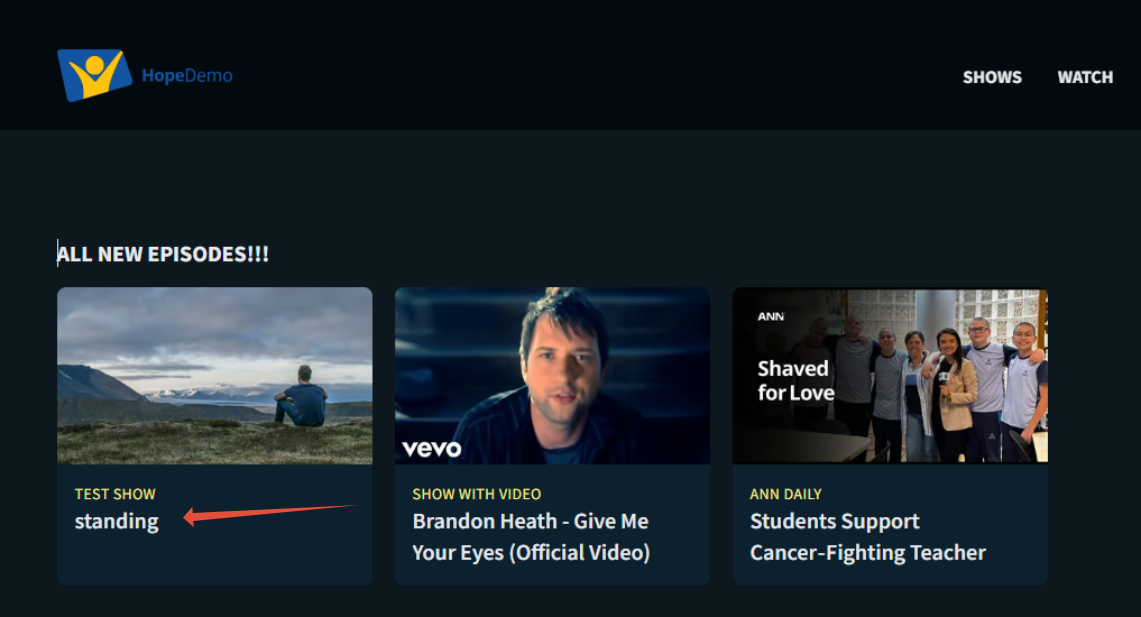
- Click on your new episode on the front side of your site to view it.