
Overview
Jetstream.Stock is your one-stop shop for finding and downloading licensed stock images, audio, and video. Instead of searching multiple websites, you can find everything in one place through Adventist.Cloud. Jetstream.Stock works together with Storyblocks and Unsplash, and we take care of the copyright.
How to
Download stock videos, images, or audio files
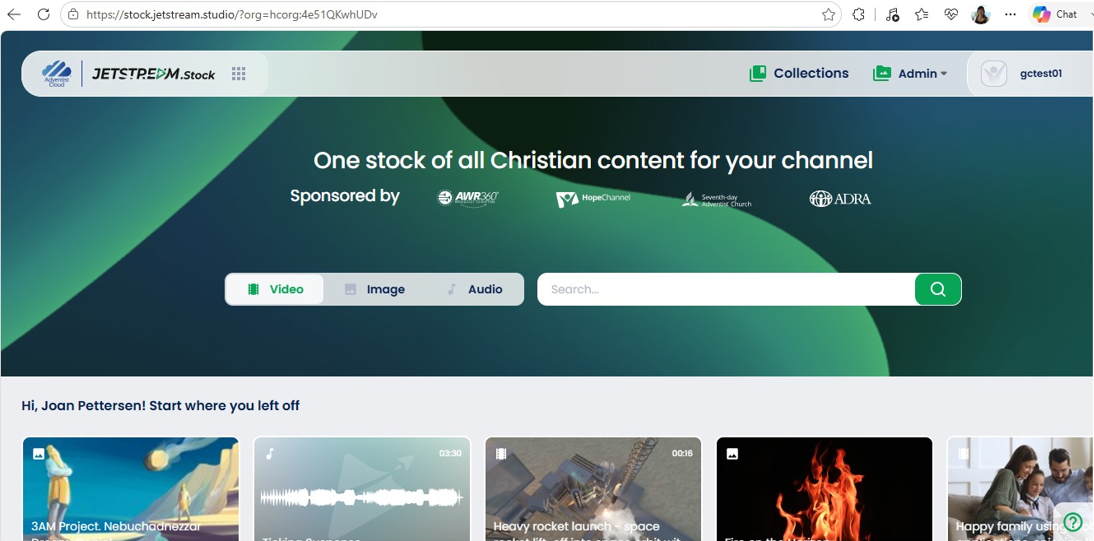
- Log in to https://stock.jetstream.studio/. Reach out to your administrator if you do not have a login or see the link at the bottom of this page.
- On the button, select from Video, Image, or Audio.
- Use the Search bar to specify what you are looking for and click on the magnifying glass icon.
- Browse for the stock media you need. When you find something you like, click on it to see a larger preview.
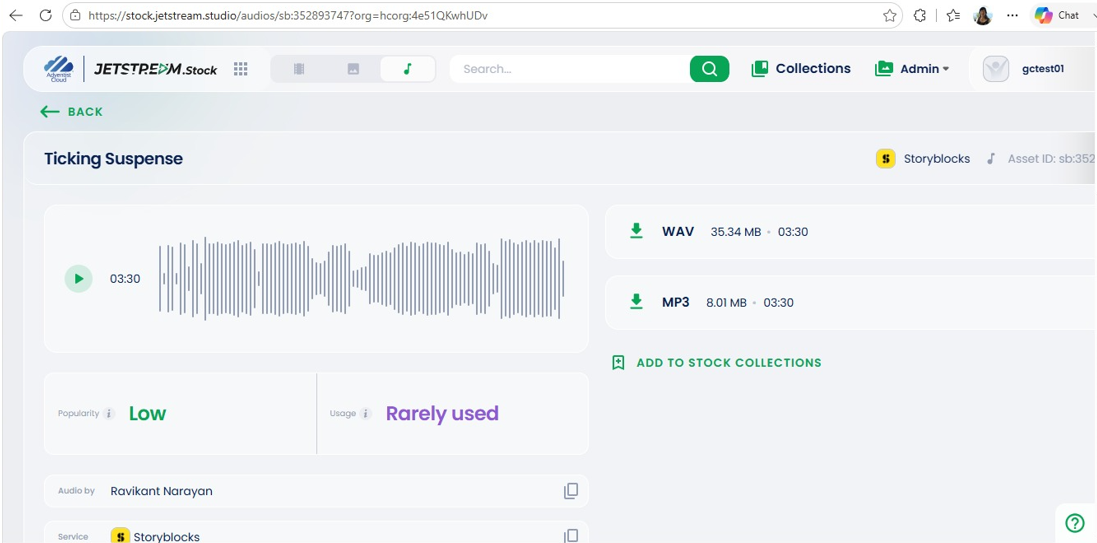
- Audio can be downloaded in WAV or MP3.
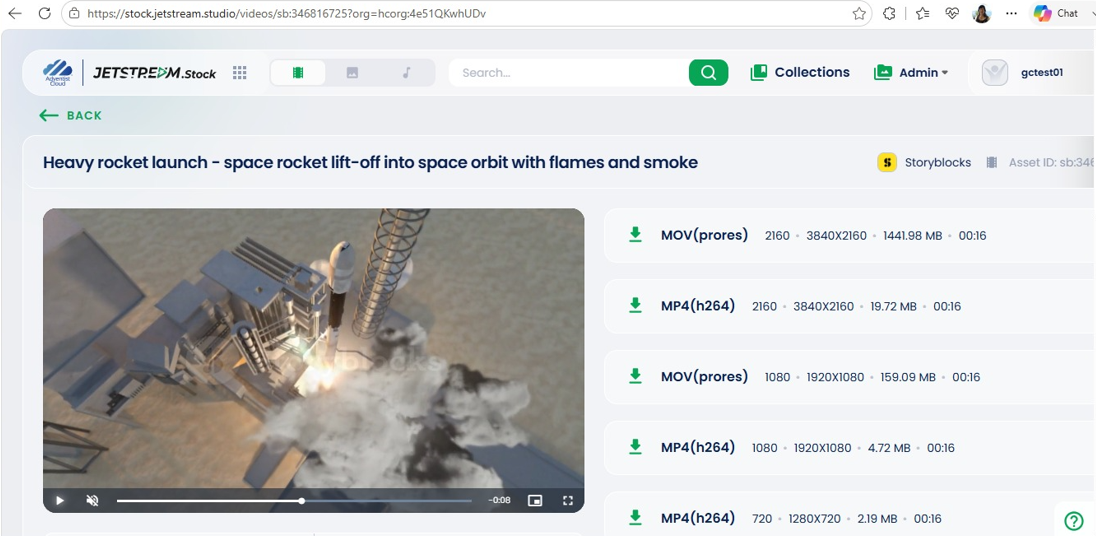
- Videos are in MP4 and MOV.
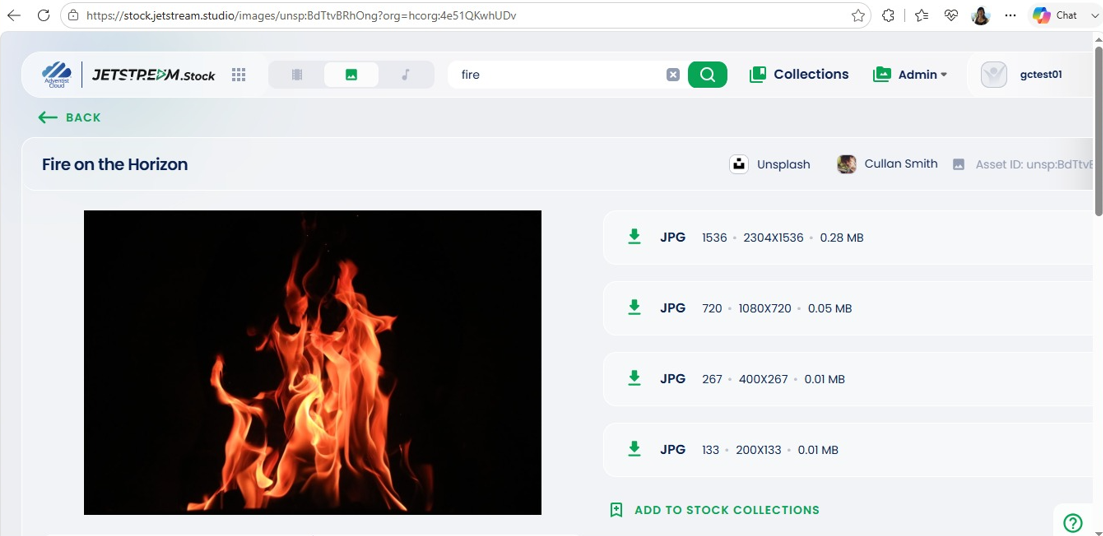
- Images are in JPG.
Note: Don't right-click and save the previews - these often have watermarks. Always use the download button to get the clean, licensed version.
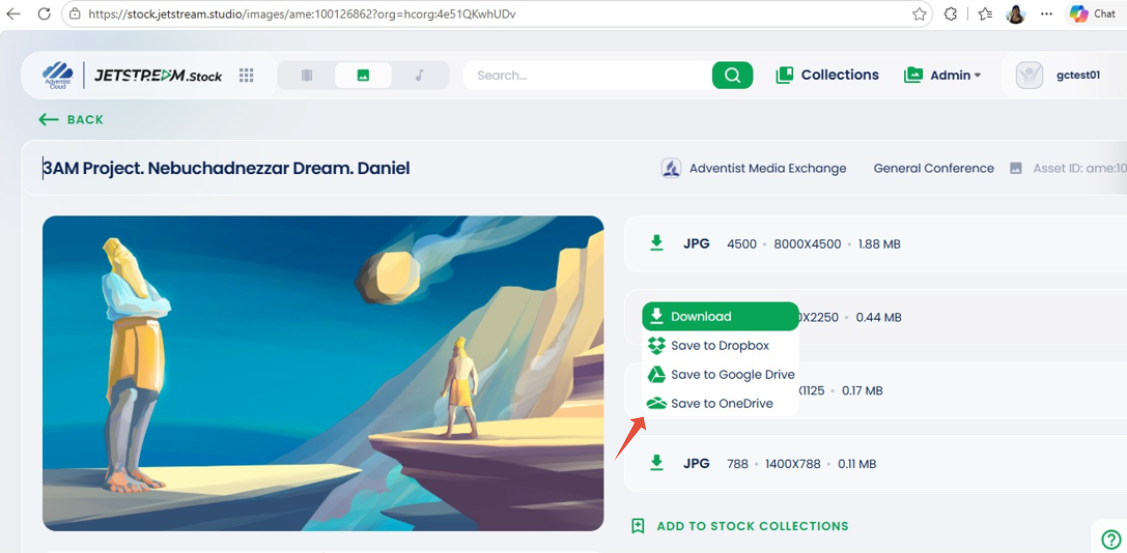
- When downloading, you can choose where to save your file:
- Download directly to your computer
- Save to Dropbox
- Save to Google Drive
- Save to OneDrive
- Note: We offer cloud storage downloads because internet speeds vary. If you're working from home or a location with slower internet, you can download files to Dropbox or Google Drive, then access them later from your office where you have a faster connection.
- Now you can upload the file you downloaded from Jetstream Stock where you want to use it.
- To download another file, return to the Jetstream.Stock logo on the upper left to return to the homepage and begin a new search.
- In the upper right are tabs for Collections, to group your files, and Admin. Under Admin, you can Upload an asset.
Additional information
- To sign up or request more information about Jetstream Stock, click here.
- Initial Setup of Jetstream Studio for media storage, captions, translations, and more